Optionia DocsOptionia Docs
Submit a Ticket
shopify app store
  • Visit Optionia Website
  • Privacy Policy
  • Terms of Service
  • FAQs
  • Tutorials

© 2026 Optionia. All rights reserved.

Powered by

ParseLab, LLC
  • category-iconGetting Started
  • category-iconOption Sets
  • category-iconOrders
  • category-iconSettings
  • category-iconConfiguration
  • category-iconLive Preview
  • category-iconPackages
  • category-iconHelp & Support
  • category-iconPrice Add-Ons
  • category-iconConditional Logic
  • category-iconDesign Theme Styling
  • category-iconUninstallation
  • category-iconFAQ
Category
  • category-iconGetting Started
  • category-iconOption Sets
  • category-iconOrders
  • category-iconSettings
  • category-iconConfiguration
  • category-iconLive Preview
  • category-iconPackages
  • category-iconHelp & Support
  • category-iconPrice Add-Ons
  • category-iconConditional Logic
  • category-iconDesign Theme Styling
  • category-iconUninstallation
  • category-iconFAQ
Price Add-Ons-icon Price Add-Ons
1 min to read
Last Update on 20 August 2026

Set up an extra price for Date Picker

Optionia allows you to add an extra charge when customers select a date using the Date Picker option. Follow the steps below to configure the additional price.

Step 1: Open the Option Set

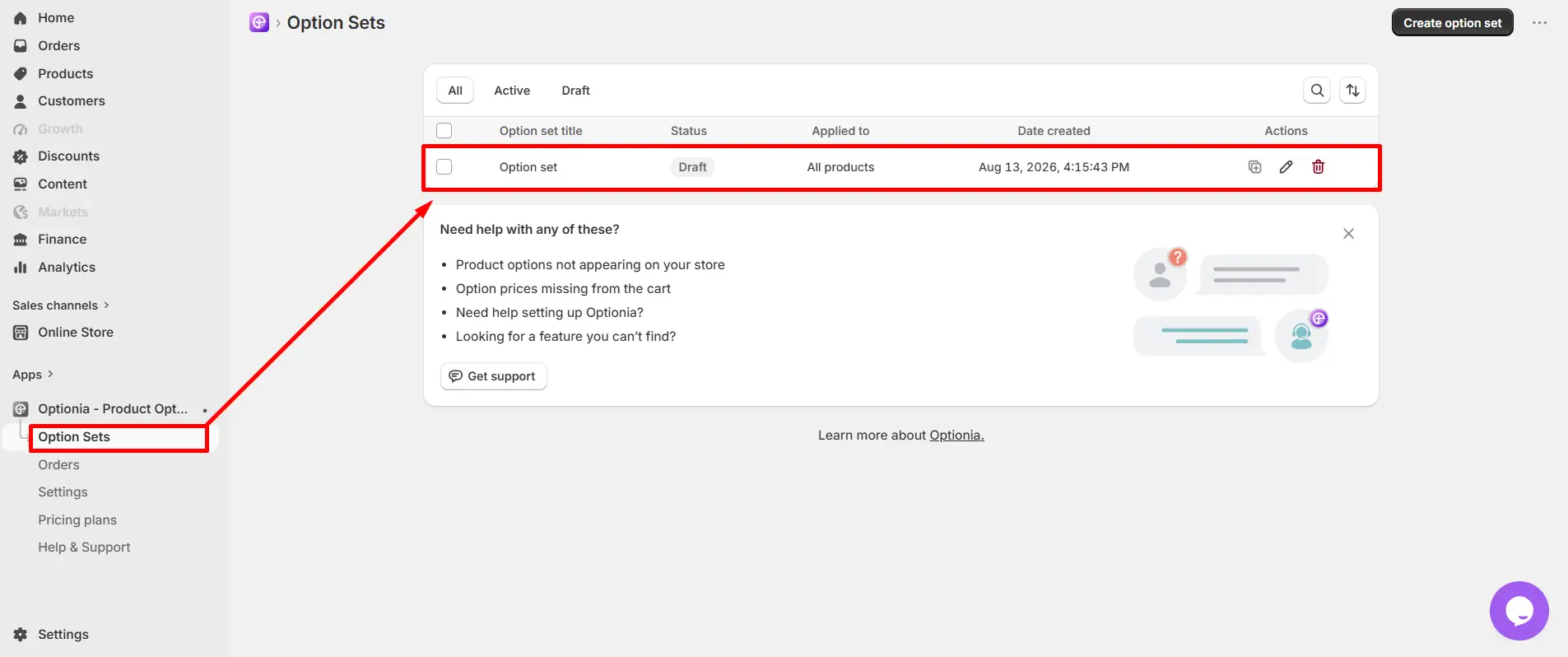
From the Optionia dashboard, click Option Sets from the bottom-left corner.

Then, click the Option Set where you want to add the extra charge.


Step 2: Open the Date Picker Option

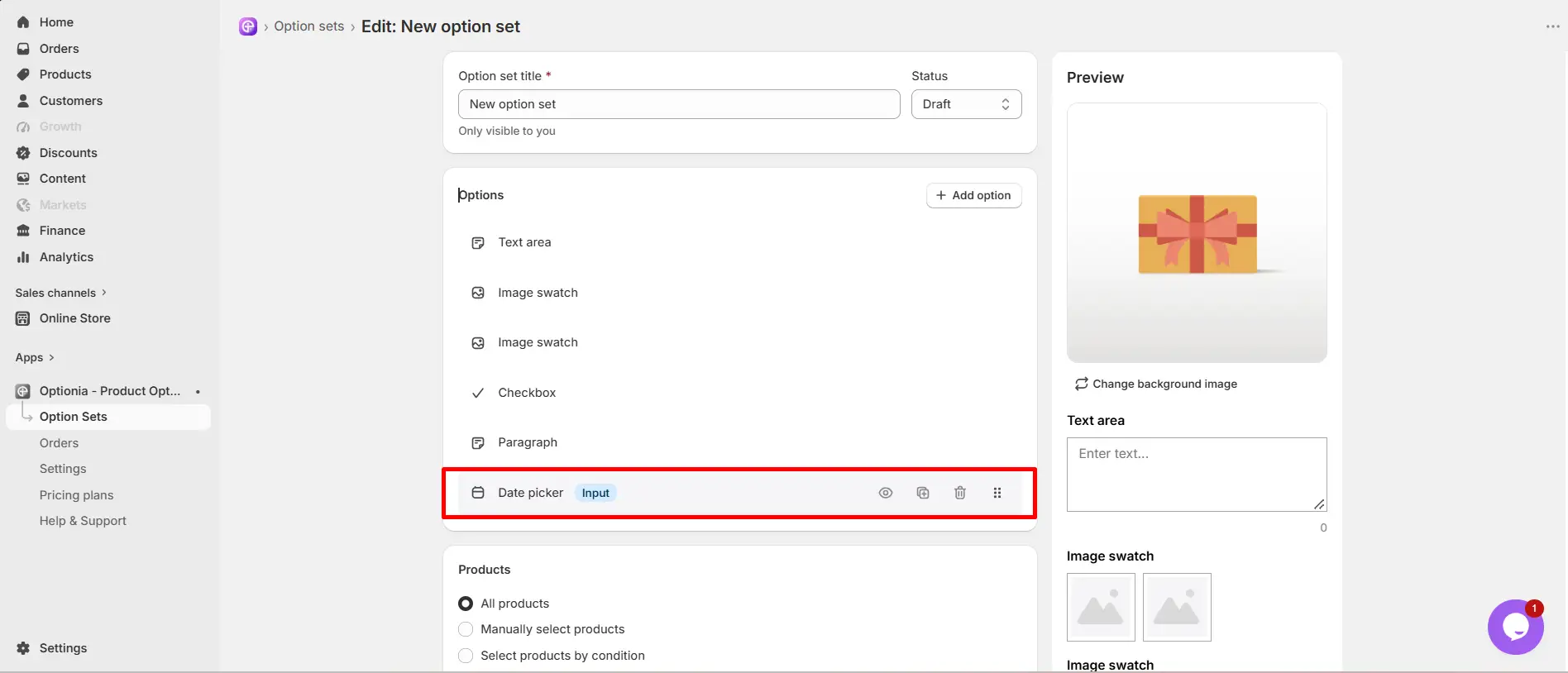
Inside the selected Option Set, locate and click the Date Picker option to open its settings.


Step 3: Add the Extra Charge

In the Date Picker settings, locate the field for the extra charge/price and enter the amount you want to charge.

Make sure to save the changes after entering the required amount.
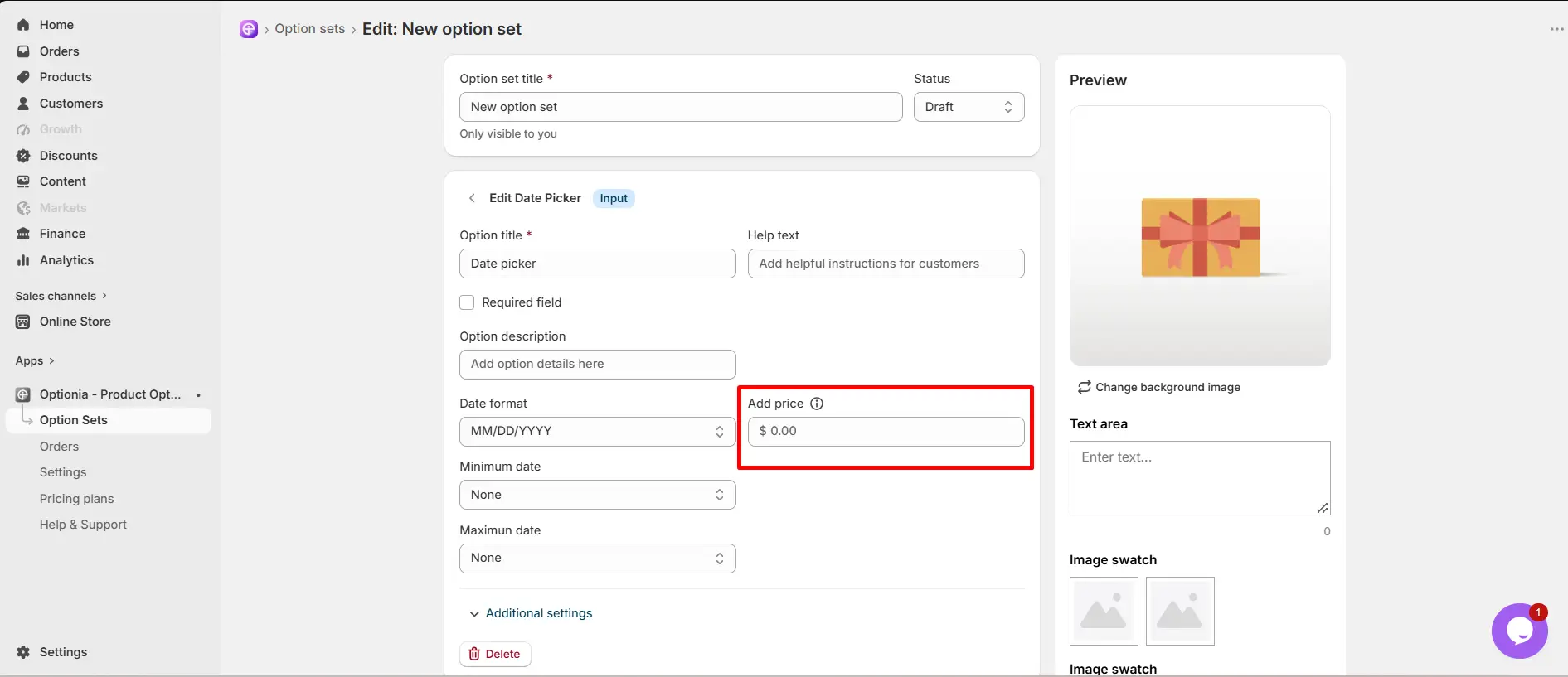


Once configured, the additional charge will be applied when the customer selects the relevant date according to your Date Picker settings.


Need Help?

If you have any questions or need assistance, We will be happy to help.

  • Live Chat for quick assistance.

  • Submit a Support Ticket for detailed questions or issues.

  • Email: support@optionia.com

Did this post help you?

Related Articles

  • Add extra price for Color & Image Swatch
  • Add extra price for File Attachments
  • Set up an extra price for Number
  • Set up an extra price for Text

Related Articles

  • Add extra price for Color & Image Swatch
  • Add extra price for File Attachments
  • Set up an extra price for Number
  • Set up an extra price for Text
Previous article
Add extra price for Color & Image Swatch
Next article

Add extra price for File Attachments