Optionia DocsOptionia Docs
Submit a Ticket
shopify app store
  • Visit Optionia Website
  • Privacy Policy
  • Terms of Service
  • FAQs
  • Tutorials

© 2026 Optionia. All rights reserved.

Powered by

ParseLab, LLC
  • category-iconGetting Started
  • category-iconOption Sets
  • category-iconOrders
  • category-iconSettings
  • category-iconConfiguration
  • category-iconLive Preview
  • category-iconPackages
  • category-iconHelp & Support
  • category-iconPrice Add-Ons
  • category-iconConditional Logic
  • category-iconDesign Theme Styling
  • category-iconUninstallation
Category
  • category-iconGetting Started
  • category-iconOption Sets
  • category-iconOrders
  • category-iconSettings
  • category-iconConfiguration
  • category-iconLive Preview
  • category-iconPackages
  • category-iconHelp & Support
  • category-iconPrice Add-Ons
  • category-iconConditional Logic
  • category-iconDesign Theme Styling
  • category-iconUninstallation
Getting Started-icon Getting Started
Installations
2 min to read
Last Update on 10 September 2026

Install Optionia

Getting started with Optionia is quick and easy. No manual action or coding skill is required to install and synchronize the app to your Shopify store.

Optionia automatically integrates with your Shopify store and works seamlessly with all Shopify themes.
Step-by-step Installation Guide

Step 1: Log in to your Shopify Admin.     

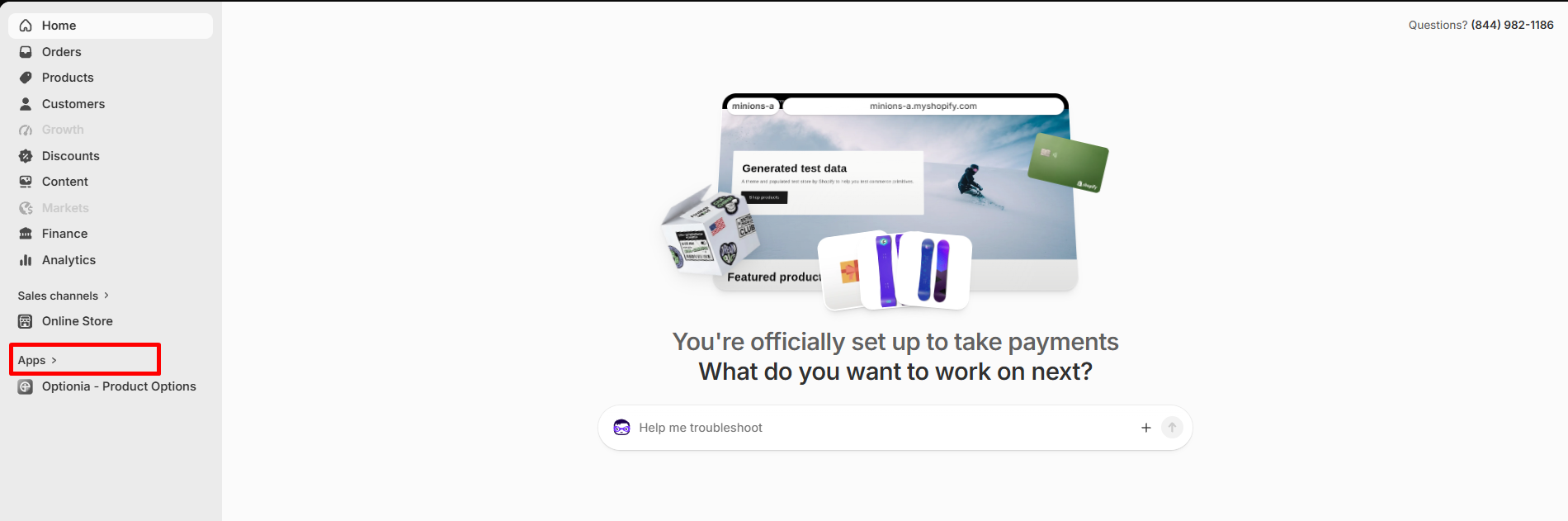
Step 2: Click on the Apps option from the left navigation menu.

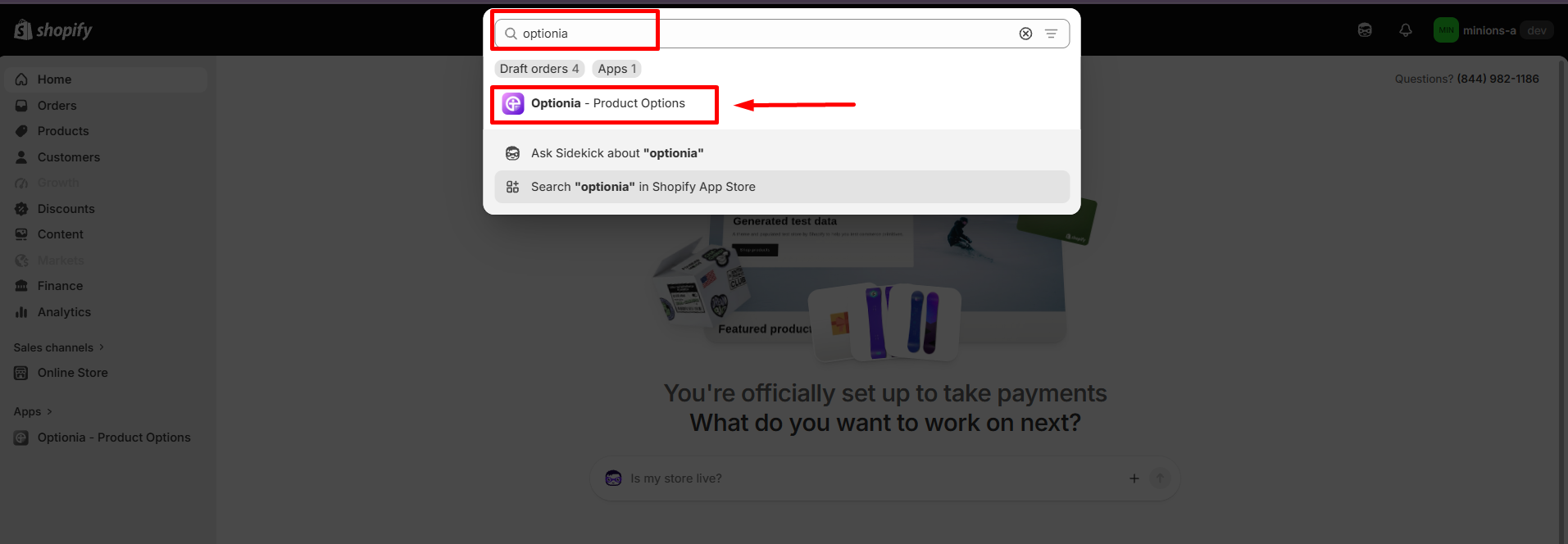
Step 3: Type Optionia - Product Options in the search bar and click on the app from the results.

Step 4: You will be redirected to the Shopify App Store . On the Optionia app page, click on the Install button.

Step 5: Review the app's permissions and privacy policy to understand how Optionia works with your store data.

Step 6: To authorize the app and complete the installation process, click Install.

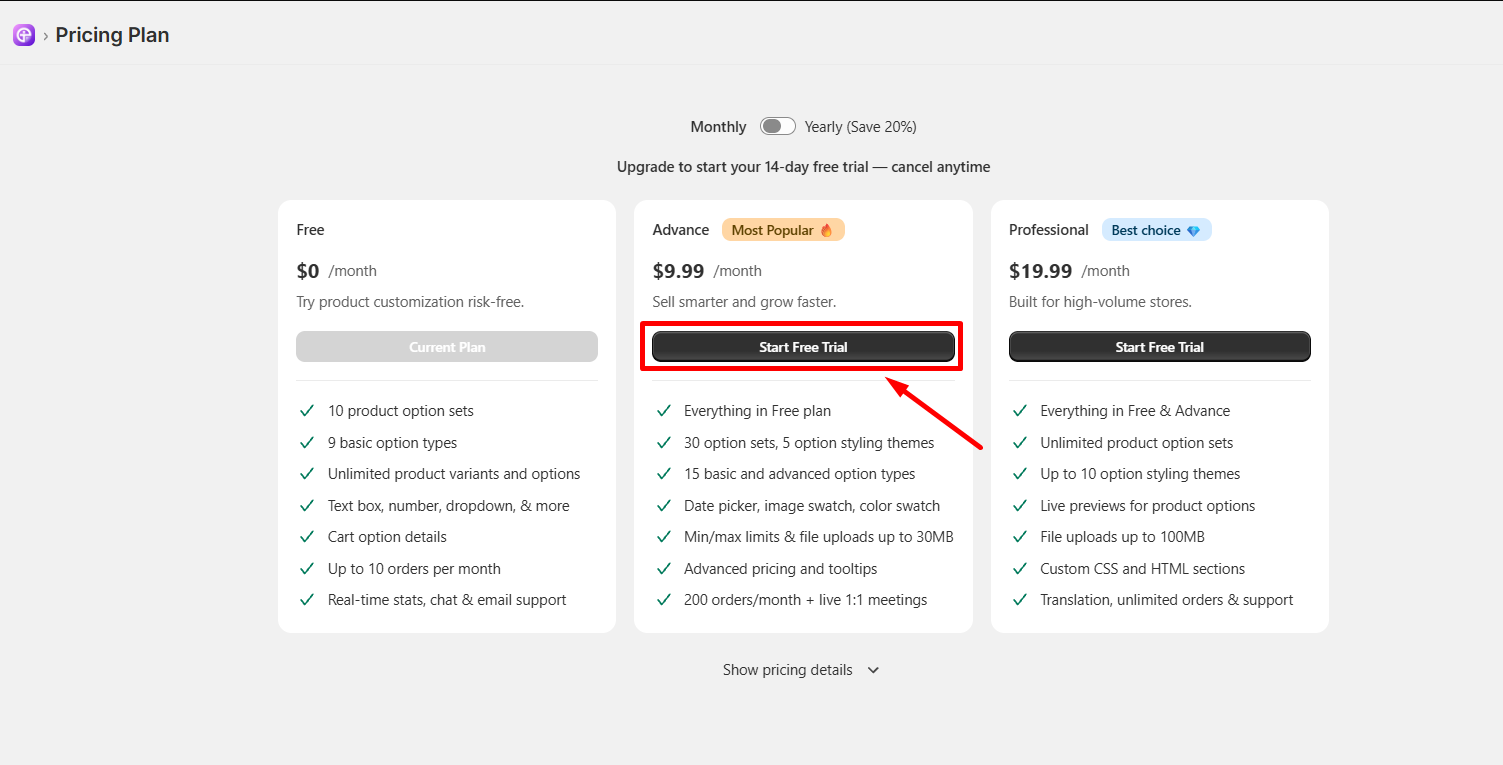
Step 7:   After installation, choose your preferred plan by visiting Pricing plans from the Optionia left sidebar menu. You can start with our Free plan or choose a paid plan to unlock advanced features.

Congratulations! You have successfully installed the Optionia app on your Shopify store. Now, click Option Sets to start creating custom options and personalized products for your shoppers.


Tip:  Try Optionia's 14-day free trial on paid plans to test advanced features, color swatches, live previews, and file uploads risk-free, or stay on our Free plan to get started at no cost!


Supported Browsers

Optionia is fully compatible with all modern, up-to-date web browsers. If you encounter any issues during installation or setup, click Help & Support in the app menu to contact our support team.


Need Help?


If you have any questions or need assistance, we will be happy to help.
  • Live Chat for quick assistance.
  • Submit a Support Ticket for detailed questions or issues.
  • Email: support@optionia.com


Did this post help you?
Next article

Upgrade Your Pricing Plan

Related Articles

  • Upgrade Your Pricing Plan
  • Start Your 14-Day Free Trial

Related Articles

  • Upgrade Your Pricing Plan
  • Start Your 14-Day Free Trial